Free LUTs for Final Cut Pro

Four films. One effect.

Looks inspired by Kodak Portra 160, Portra 400, Portra 800 and Gold 200, right inside Final Cut Pro. One look from each film is free, and every look previews on your own clip.

FREE DOWNLOADView Cart

For Final Cut Pro on macOS 13 or later.

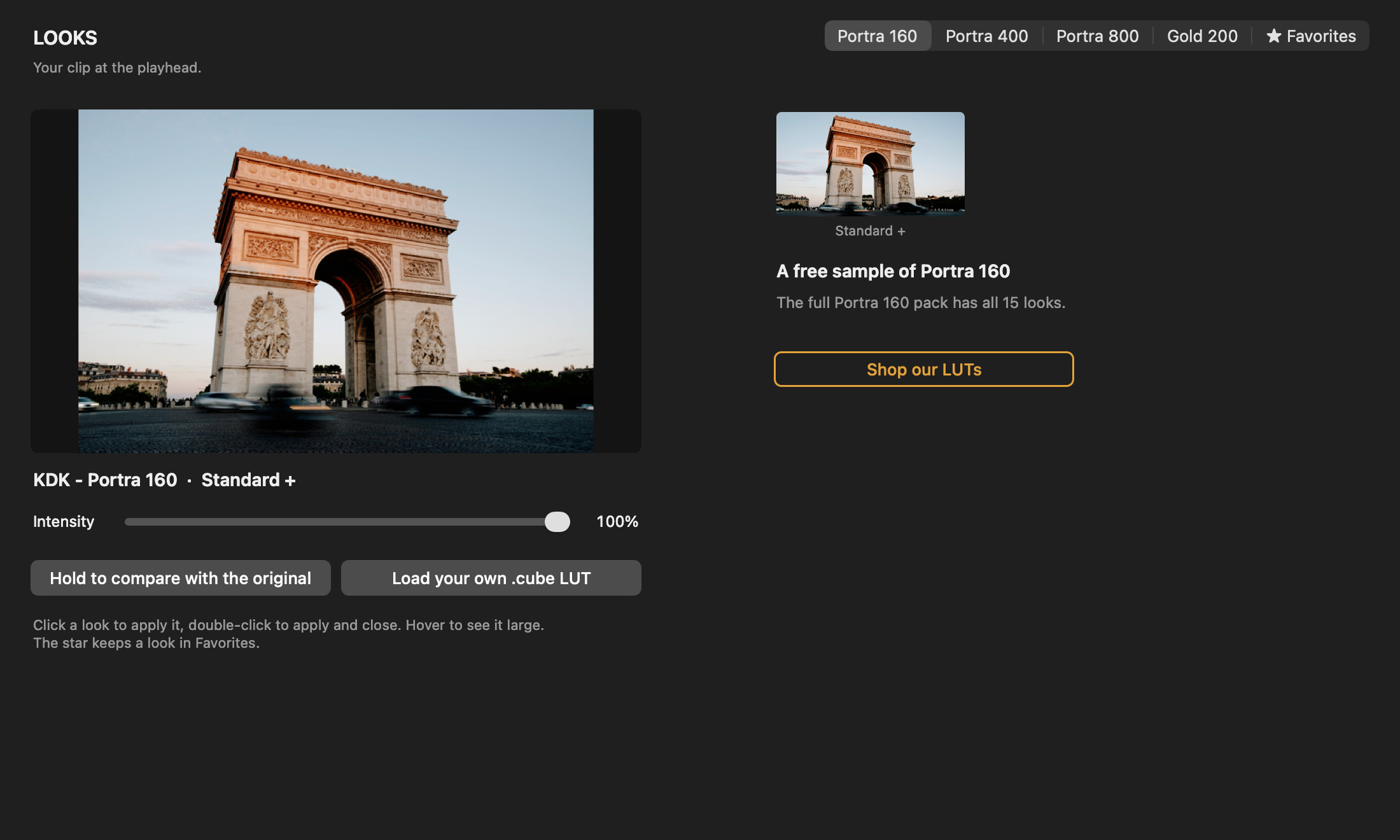
Presetpro LUT Looks window showing the free Portra 160 sample look on a photo of the Arc de Triomphe in Paris

The free download

Free to download. Free to keep.

Four free looks

The Standard + look of each of the four films.

Browse Looks

See every look on your own clip before you choose.

Log footage

Set Camera to your format and the look converts as you edit. Nine log formats, from S-Log3 to Apple Log 2.

Your own LUTs

Load any 3D .cube LUT. It is saved inside your project.

Finishing controls

Intensity, Levels, Contrast, Hue and Grain, right in the Inspector.

Made for Final Cut Pro

Find Presetpro LUT in the Effects browser, under Presetpro.

Film packs

Fifteen looks for every film.

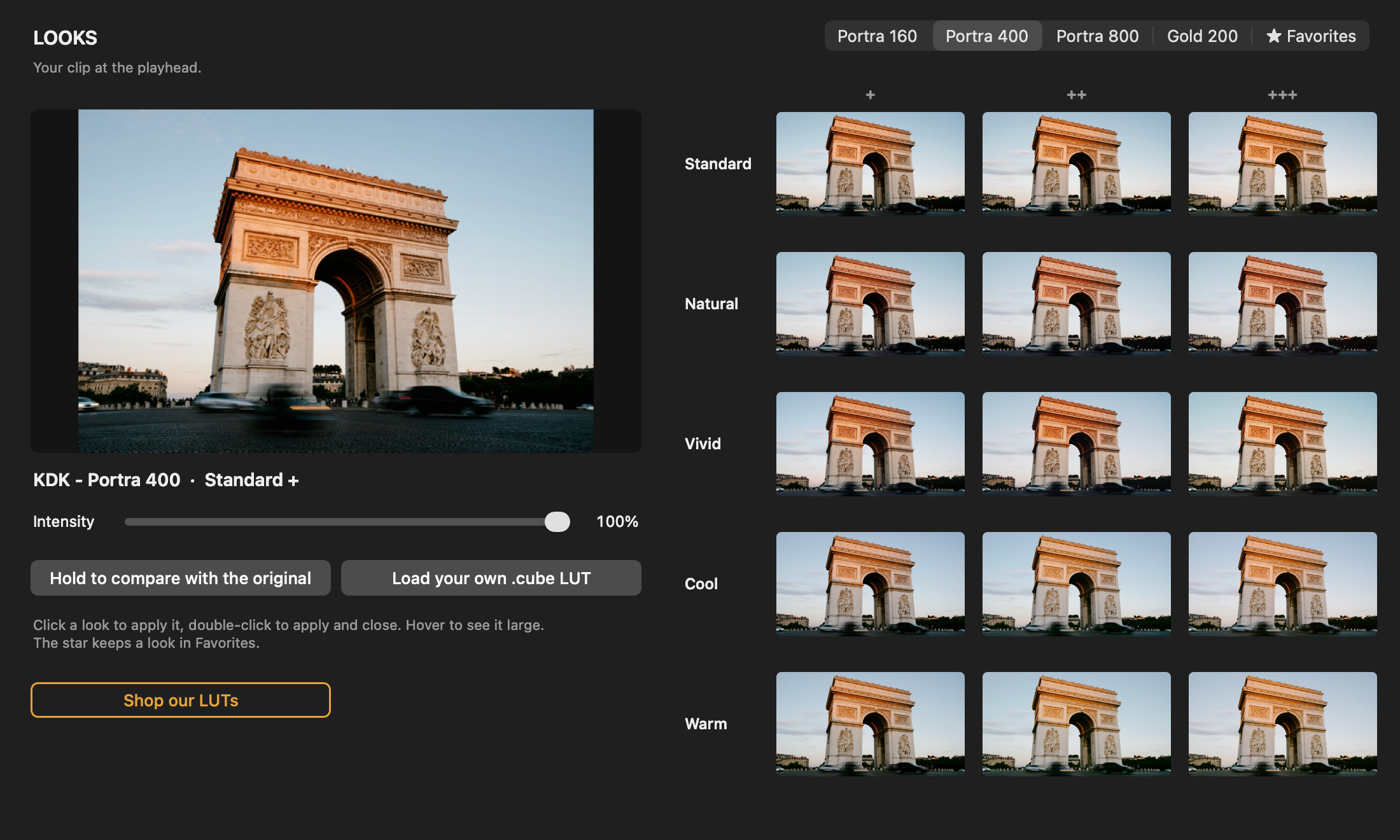
Standard, Natural, Vivid, Cool and Warm, each in three strengths. A pack adds one film’s full set to Browse Looks. $29 per film.

Presetpro LUT Looks window showing all 15 Portra 400 looks, Standard, Natural, Vivid, Cool and Warm in three strengths, on a photo of the Arc de Triomphe

Portra 160

15 looks inspired by Kodak Portra 160.

$29

ADD TO CARTView Cart

Portra 400

15 looks inspired by Kodak Portra 400.

$29

ADD TO CARTView Cart

Portra 800

15 looks inspired by Kodak Portra 800.

$29

ADD TO CARTView Cart

Gold 200

15 looks inspired by Kodak Gold 200.

Coming soon

How to install

Three steps.

  1. Quit Final Cut Pro, then open the installer and follow its steps.
  2. Open Final Cut Pro. In the Effects browser, choose Presetpro and drag Presetpro LUT onto a clip.
  3. Click Browse Looks in the Inspector and pick a look. Film packs install the same way.

Requires macOS 13 or later and Final Cut Pro.

Questions

Frequently Asked Questions

Is Presetpro LUT really free?

Yes. The effect and four looks, one from each film, are free to download and keep. Film packs add all 15 looks for one film and are sold separately.

Does it work with log footage?

Yes. Set Camera to the format you shot and the look is converted as you edit: Sony S-Log3, Canon C-Log3, Panasonic V-Log, Fujifilm F-Log2, Apple Log, DJI D-Log, RED Log3G10, ARRI LogC3 or Apple Log 2. For normal video, leave Camera on Rec.709.

How do film packs work?

Each pack comes with its own installer, which also installs the free effect. Quit Final Cut Pro, run it, and the 15 looks of that film appear in Browse Looks the next time you open Final Cut Pro. Clips that use the free look keep it.

Can I use my own LUTs?

Yes. Click Load your own .cube LUT in Browse Looks and choose any 3D .cube file. The LUT is saved inside your project.

Do you have LUTs for other apps?

Yes. Our .cube LUT collections work in Premiere Pro, DaVinci Resolve, Photoshop and more. See our Color Grading LUTs.