


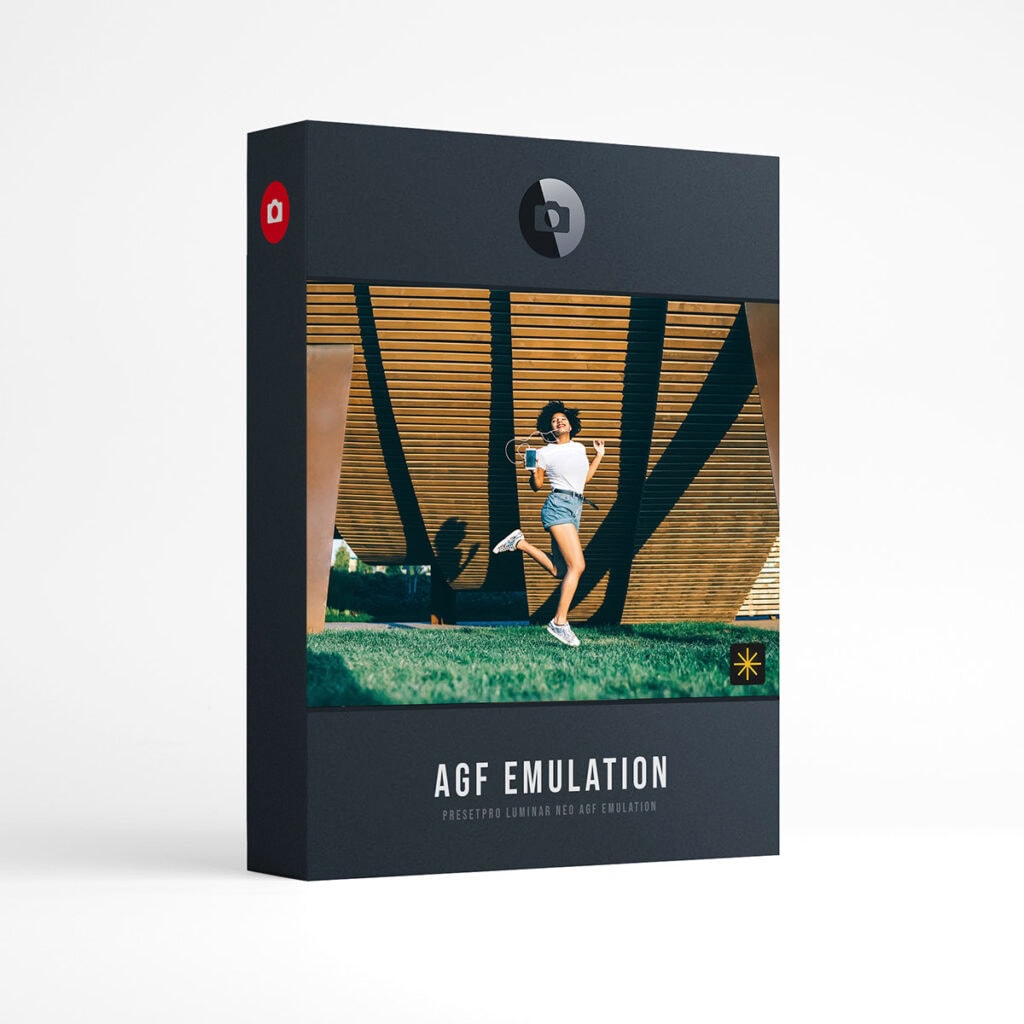



Luminar NEO Film AGF 25 Agfa Inspired Film Presets
Each preset is crafted to give the modern photographer beautiful, Agfa inspired color, right inside Luminar NEO.
Agfa inspired film emulation for Luminar NEO: 25 presets built from film inspired 3D LUTs and Luminar’s own Film Grain tool, so you can dial the look and the grain after you apply it.
Inspired by the color science of Agfa color negative films. The look inspired by Vista 100 is new in this update and sits next to the look inspired by Vista with cooler midtones, alongside the looks inspired by Agfa Portrait, Optima and Ultra. Each film look comes as a family of five: the standard look, + and + film variations, and + cool and + warm shifts of the color balance.
Every preset applies to RAW and JPEG files and lands in Luminar’s Edits panel as a normal stack: the Mood tool holding the film look with an Amount slider from 0 to 100, and the Film Grain tool already applied. Turn either one down, up, or off. Grain is kept light across the collection, set between 5 and 6 on the Film Grain Amount slider.

Film guide
Tone and color below describe what each standard look does to your photo, measured on the preset itself at its saved strength, not a claim about the film it is named after.
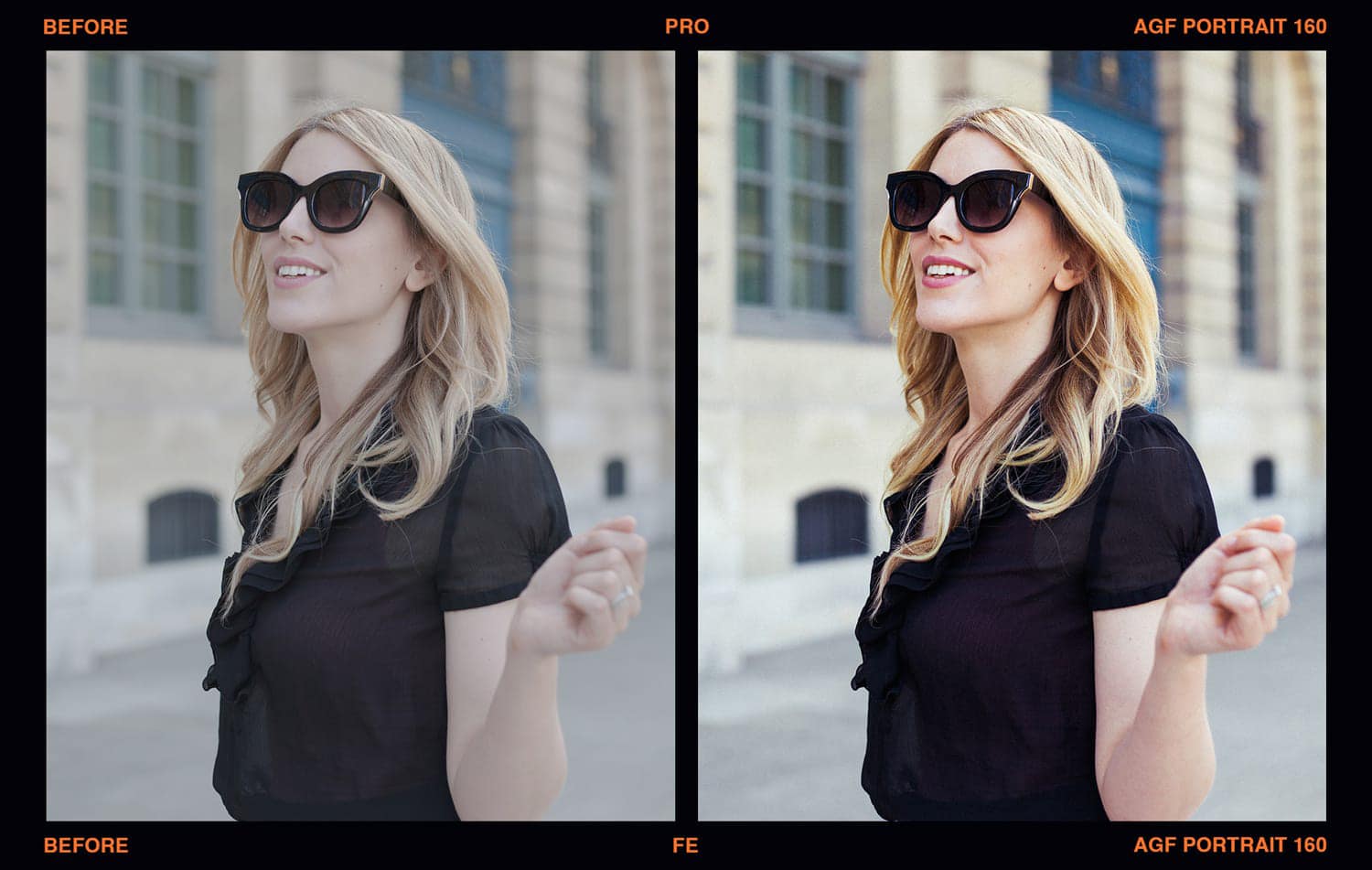
- Inspired by Agfa PortraitSlightly brighter midtones, moderate contrast and quieter color overall, while reds hold their strength. Try it for: People and everyday scenes when you want calmer, quieter color.
- Inspired by Agfa OptimaClose to your original brightness, the gentlest contrast of the five film looks, a slight rosy cast, richer skin tones and quieter greens. Try it for: Relaxed portraits and lifestyle photos with fuller skin tones.
- Inspired by Agfa VistaBrighter midtones, strong contrast, slightly warm highlights, richer reds, yellows and skin tones, and quieter magentas. Try it for: Sunny days, travel and everyday snapshots.
- Inspired by Agfa Vista 100Brighter, slightly cool midtones, strong contrast, richer reds and skin tones, and quieter magentas. Try it for: Street and everyday scenes that want crisp contrast.
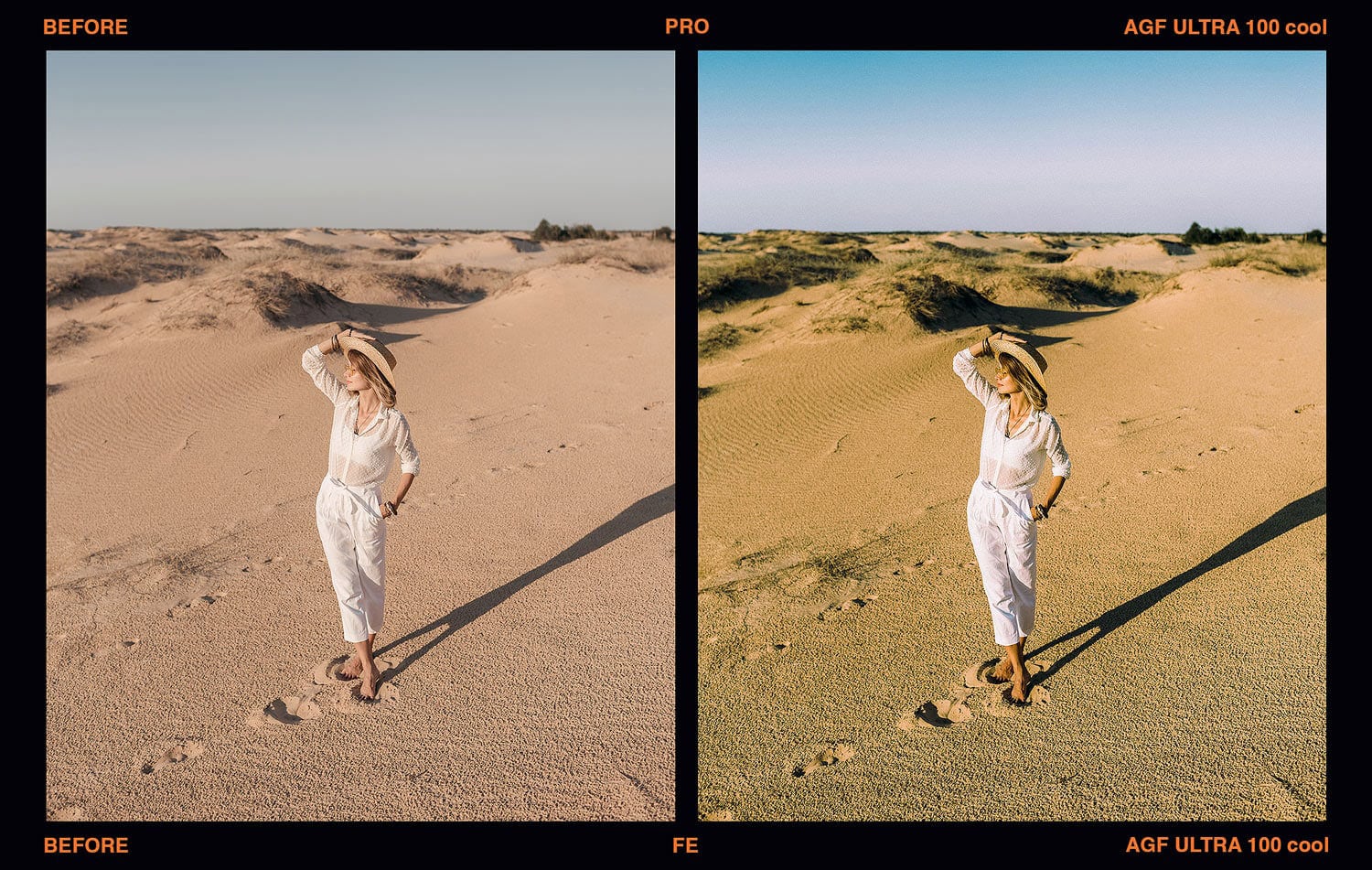
- Inspired by Agfa UltraSlightly brighter midtones, moderate contrast, a little richer color overall and skin tones that lean golden. Try it for: Colorful travel and everyday scenes. For bolder color, try the + warm version.
More examples: the film emulation gallery (edited in Lightroom, so treat it as a mood reference).
What’s included
- Presets25 Agfa inspired presets: 5 film looks, 5 versions each.
- LooksLooks inspired by Agfa Portrait, Optima, Vista, Vista 100 and Ultra.
- FamiliesEvery film look as standard, +, + film, + cool and + warm.
- EditableEach preset is a normal Luminar stack: the Mood tool with its Amount slider and Film Grain. Nothing is flattened.
- FilesWorks on any photo Luminar NEO can open, RAW or JPEG.
- PlatformLuminar NEO on Mac and PC. Built and tested on Luminar Neo 1.26.1 on the Mac (see question 7).
- InstallDouble-click the .lnpc file, or Presets > Purchased > Add. Install guide.
- Full setAlso included in Luminar NEO Film Emulation, the full set of 151 presets in six collections.
- DownloadInstant download after purchase.
These are presets for Luminar NEO only, not for Lightroom or Photoshop. If you own the 2022 version of this collection, Luminar will not refresh it: delete the Presetpro AGF Film collection in Luminar, add the new file, then restart Luminar.
The 25 presets
Listed as they appear in Luminar NEO. Each preset is named after the film that inspired it.
25 · Inspired by Agfa
In Luminar: Presetpro AGF Film. Five Agfa inspired film looks, 5 versions each.
- Portrait
- Portrait +
- Portrait + film
- Portrait + cool
- Portrait + warm
- Optima
- Optima +
- Optima + film
- Optima + cool
- Optima + warm
- Vista
- Vista +
- Vista + film
- Vista + cool
- Vista + warm
- Vista 100
- Vista 100 +
- Vista 100 + film
- Vista 100 + cool
- Vista 100 + warm
- Ultra
- Ultra +
- Ultra + film
- Ultra + cool
- Ultra + warm
Frequently asked questions
01
How do I install this collection in Luminar NEO?
02
Do the presets work on RAW and JPEG files?
03
How do I adjust the strength of a look?
04
What do +, + film, + cool and + warm mean?
05
What is the difference between the looks inspired by Vista and Vista 100?
06
I own the 2022 version of this collection. How do I update?
07
Does it work on Mac and PC?
Instant download. 25 Agfa inspired presets, every slider still yours.
Want every collection? The full Luminar NEO Film Emulation set has 151 presets in six collections and already includes these 25, so you only need one of the two. Installing for the first time? The Luminar NEO install guide.
Agfa, Portrait, Optima, Vista and Ultra are the brands and trademarks of their respective holders. Agfa does not endorse or sponsor this collection or any other content, and is not affiliated with Presetpro.com; all trademarks and copyrights are the exclusive property of their respective owners. Luminar and Luminar Neo are trademarks of Skylum Software, which does not endorse or sponsor this collection. Lightroom and Photoshop are trademarks of Adobe Inc., Mac of Apple Inc. and Windows of Microsoft Corporation.