






Luminar NEO Film Emulation 151 Film Inspired Presets in Six Collections
Twenty-five film inspired looks and five cinematic grades, on any photo Luminar NEO can open.
Film emulation for Luminar NEO: 151 presets in six collections, each built from a 3D film LUT and Luminar’s own tools, so every slider is still yours after you apply it.
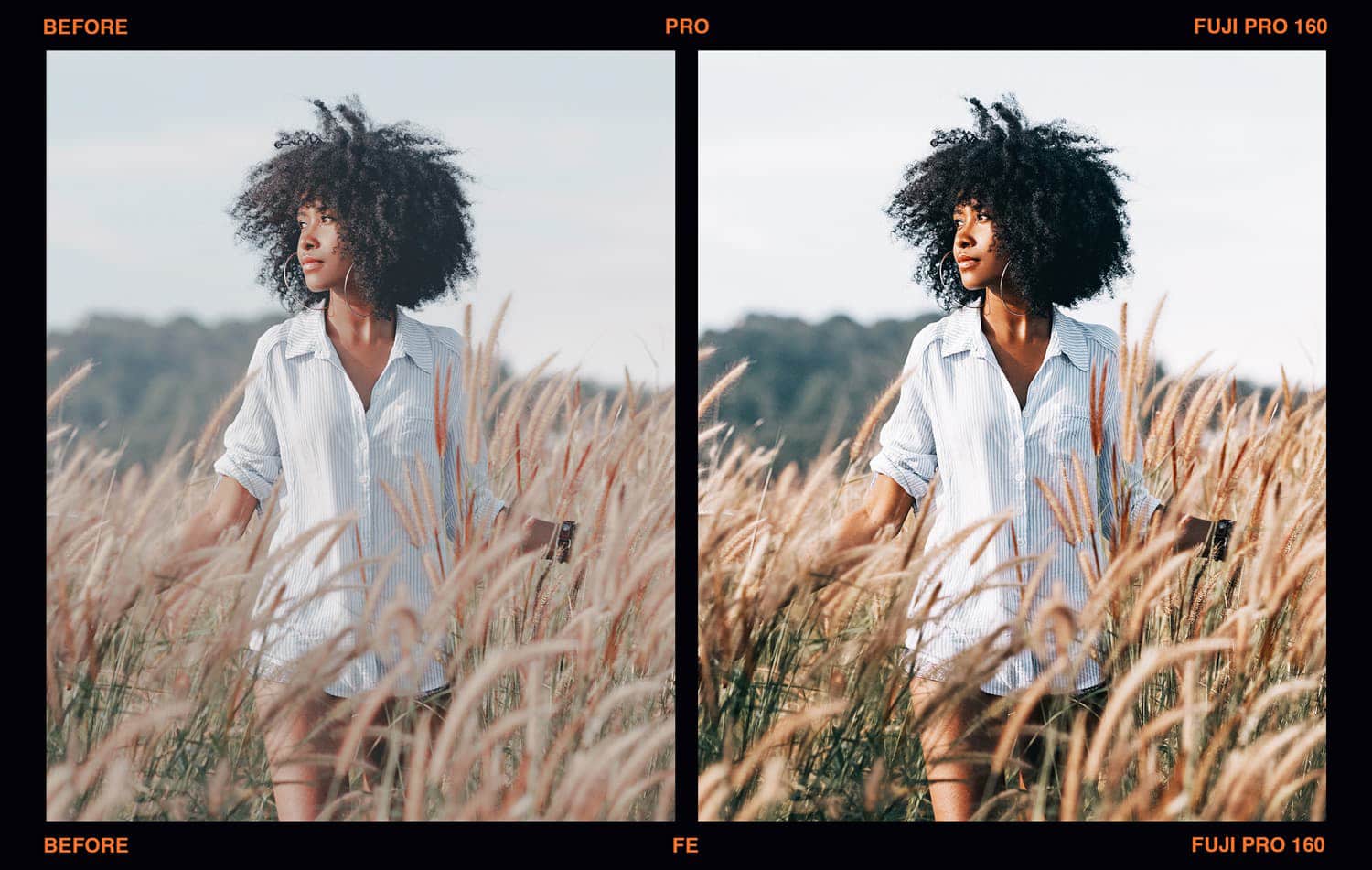
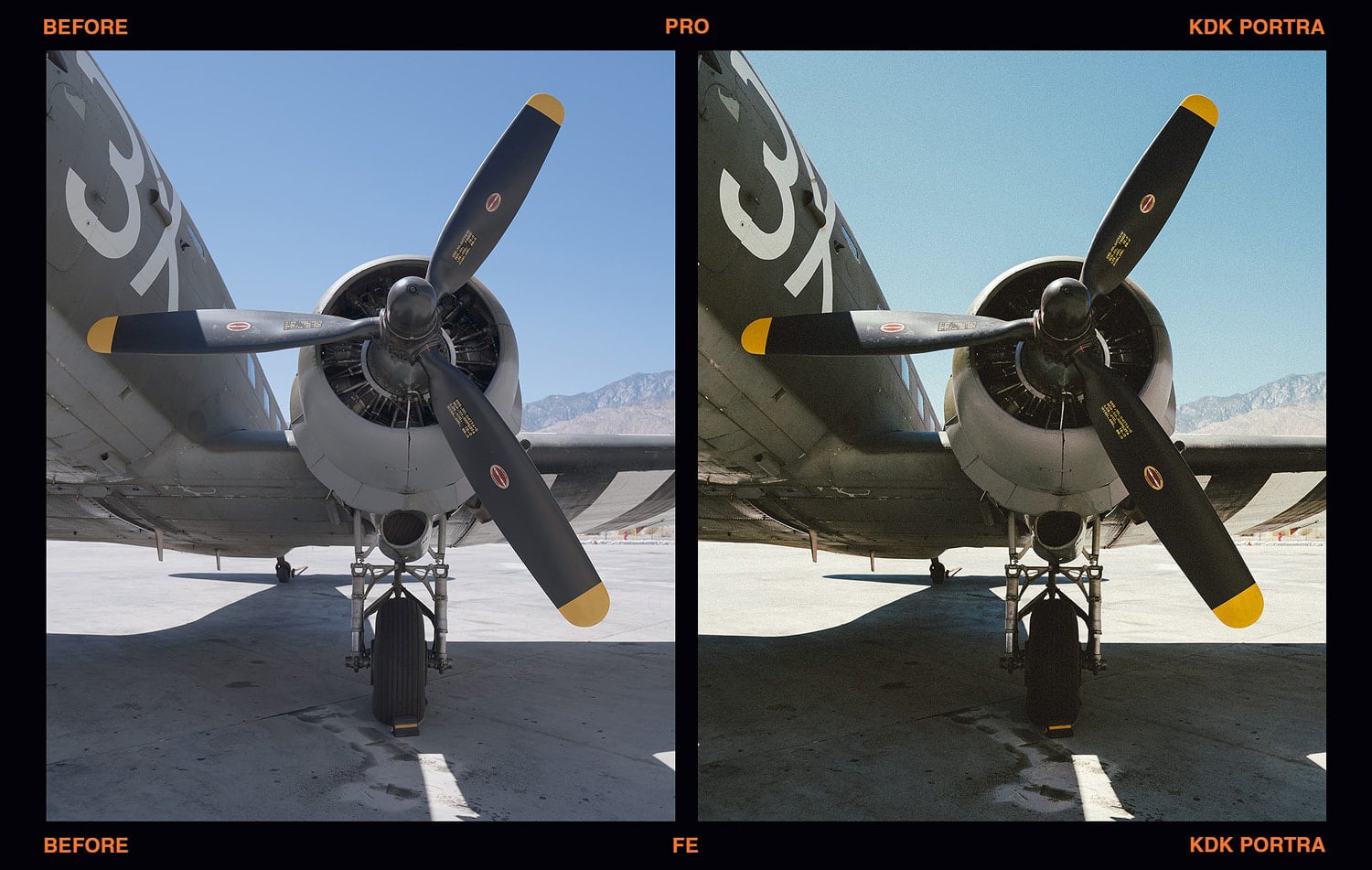
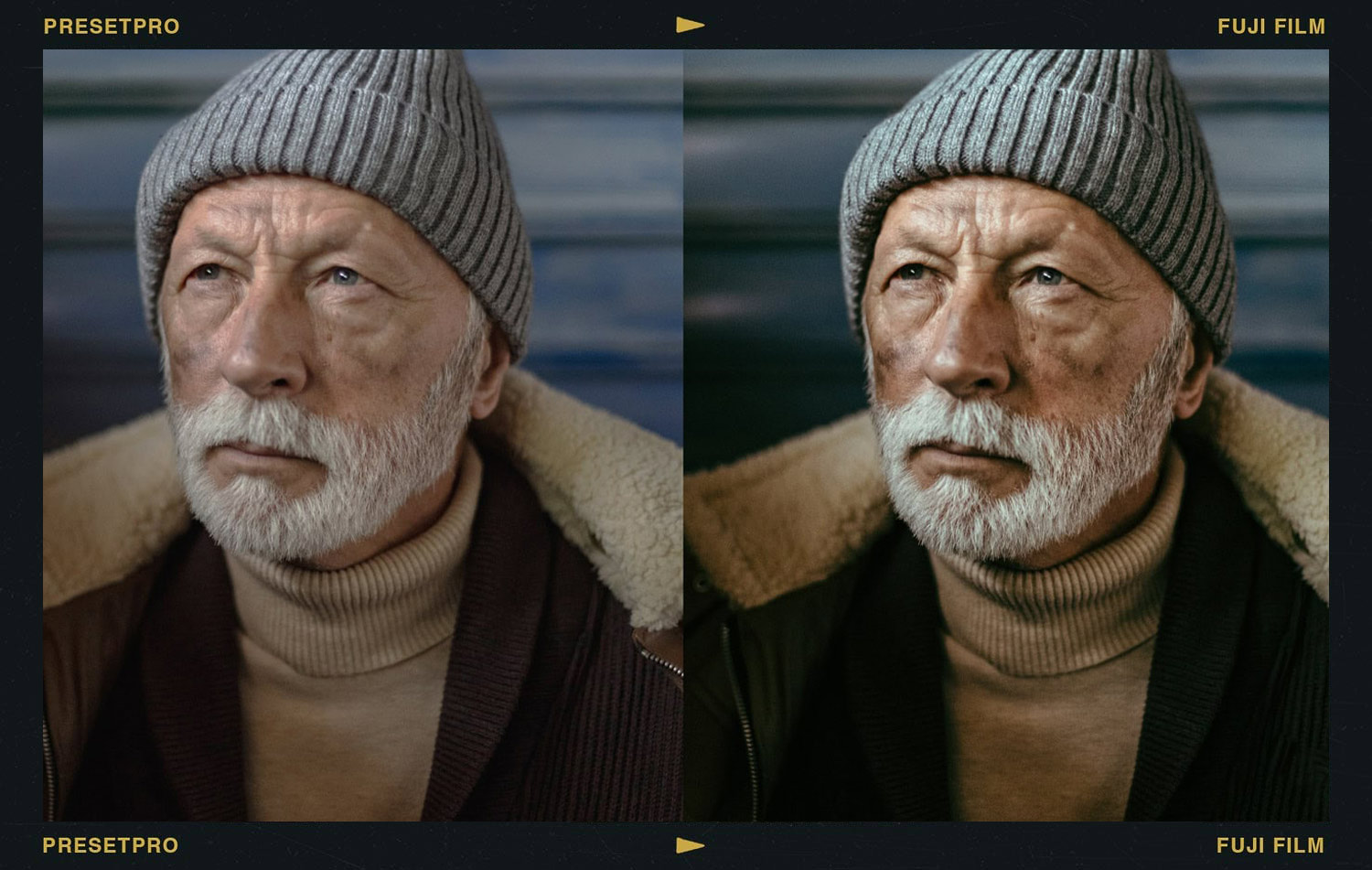
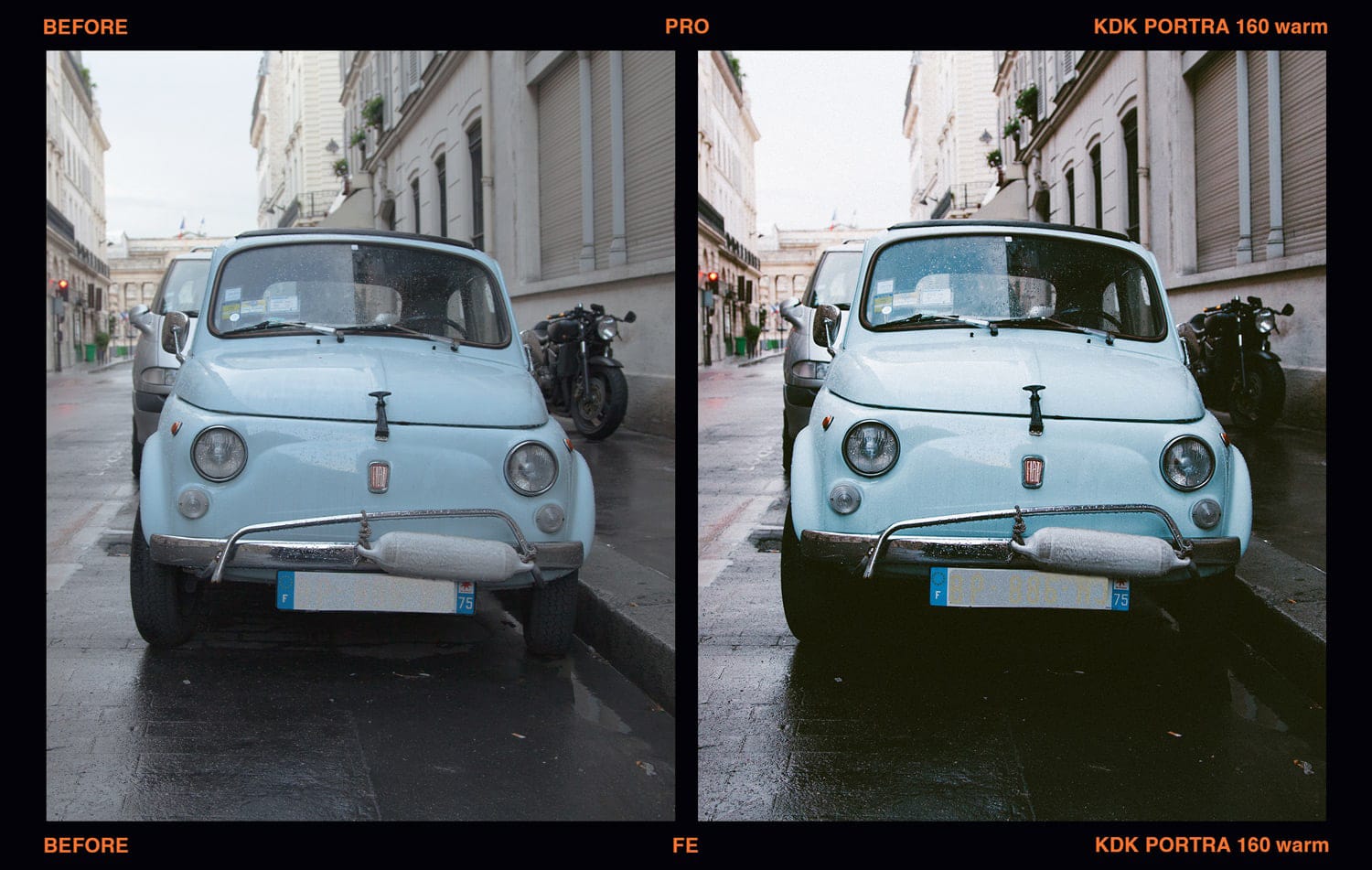
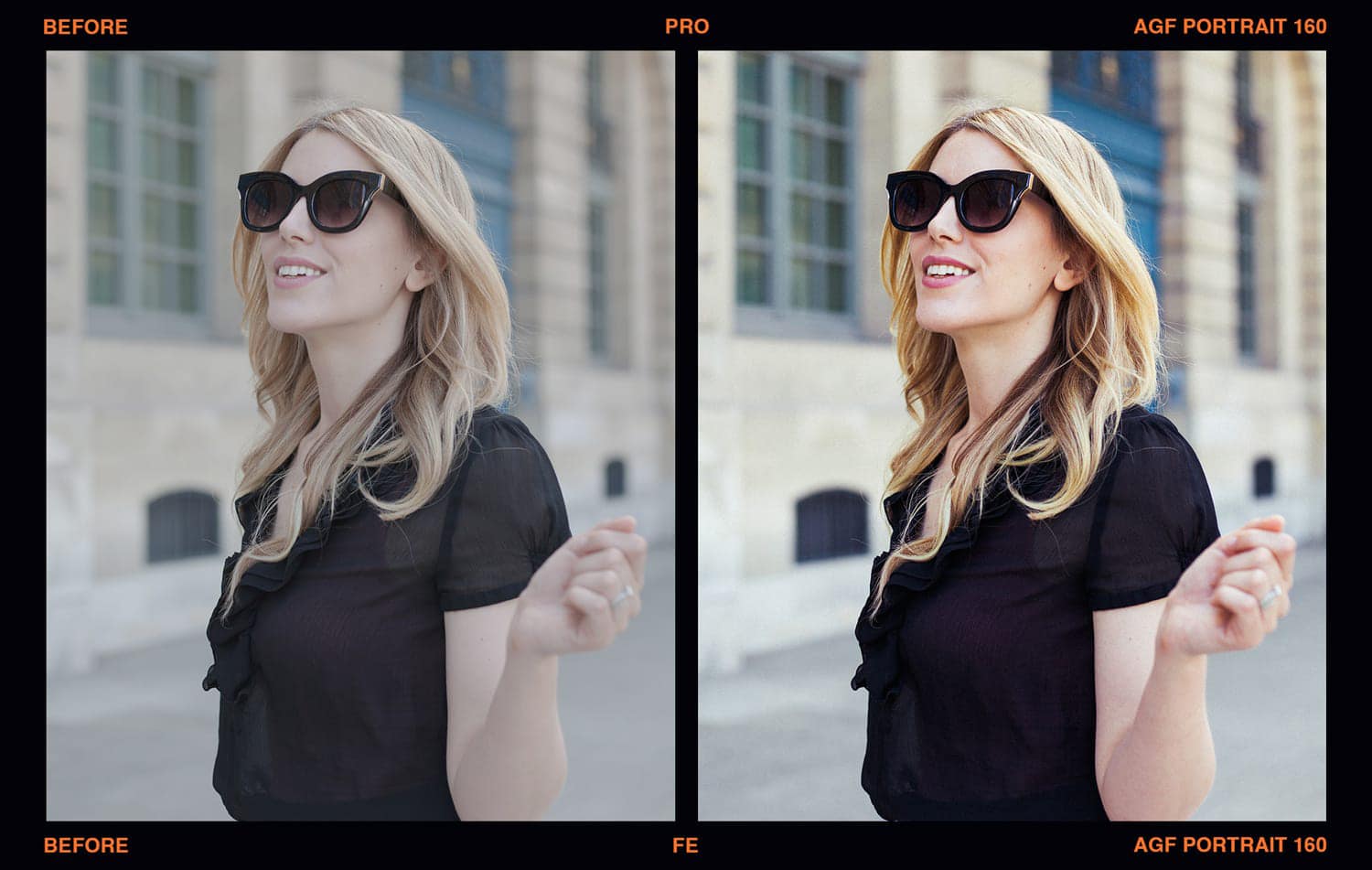
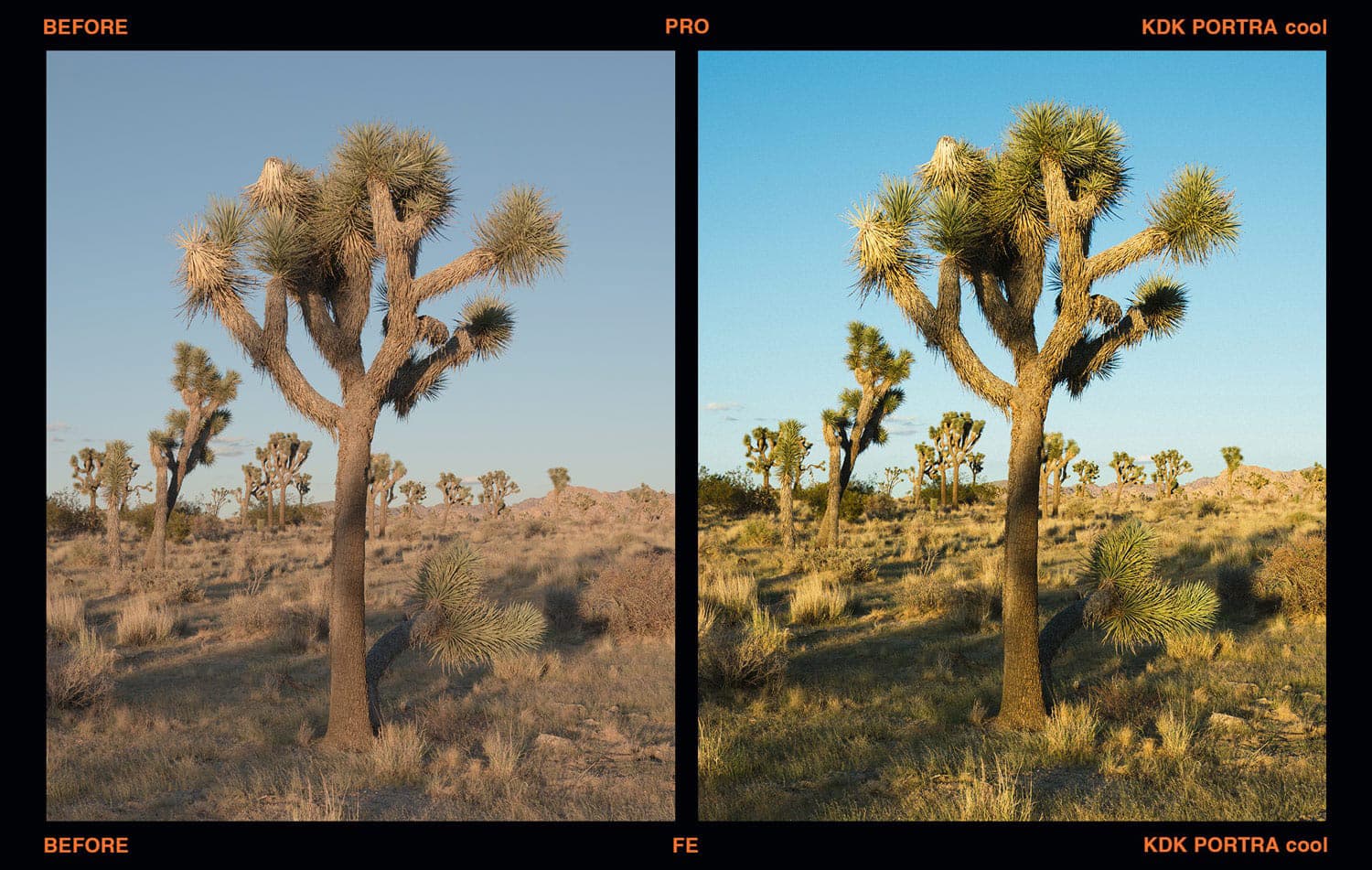
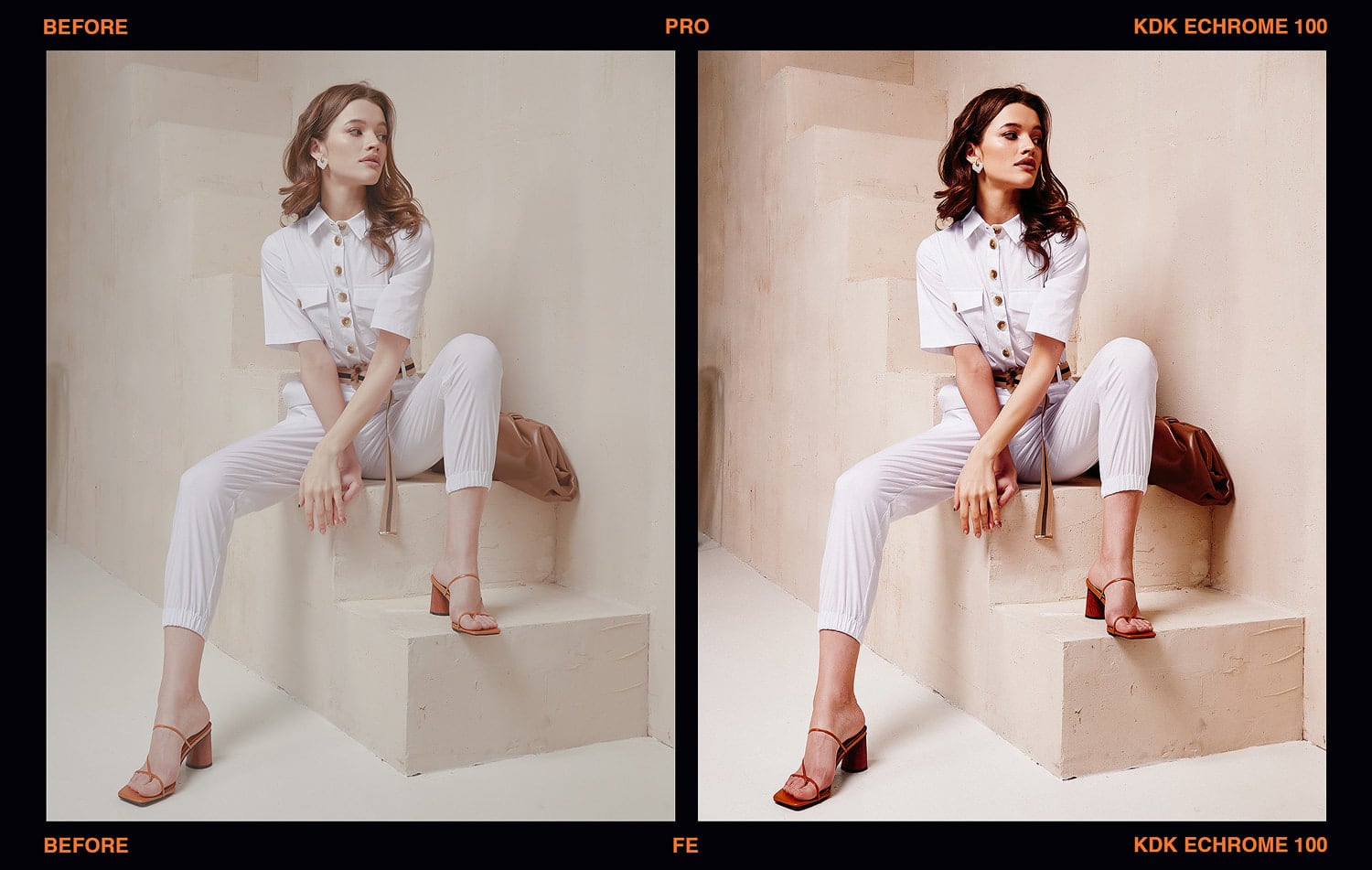
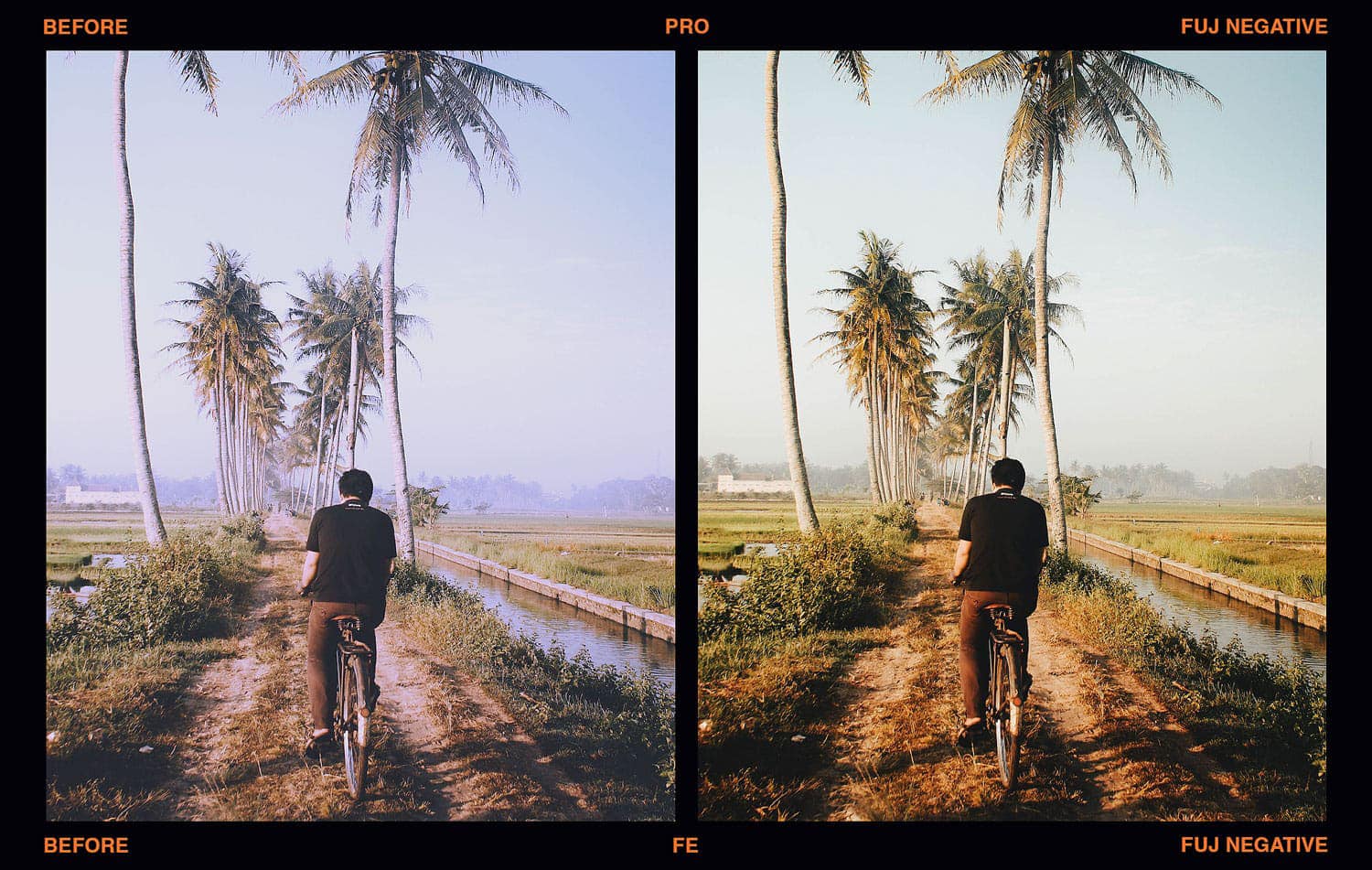
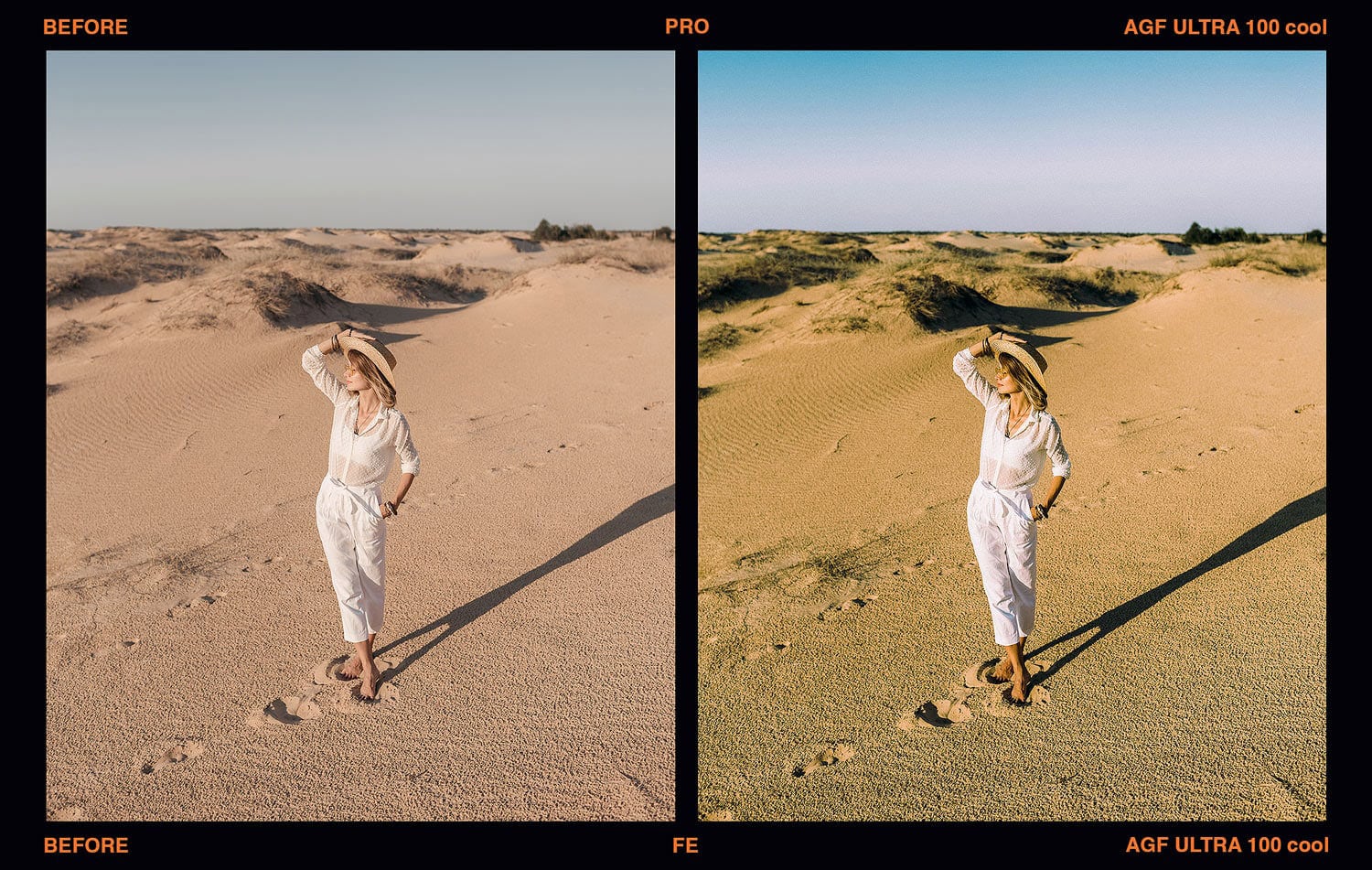
Inspired by the color science of Kodak, Fujifilm and Agfa negative and slide films, five black and white films from Agfa, Fujifilm and Ilford, and Polaroid Color 600. Each look inspired by a color film comes as a family of five: the standard look, a + variation, a + film variation with a more film-like tone, and + cool and + warm shifts of the color balance. The looks inspired by black and white and Polaroid films, and the cinematic presets, climb a ladder instead, from standard through + and ++ to +++. A sixth collection blends two film inspired looks into five cinematic grades, with Luminar’s Toning, Supercontrast and Vignette tools already dialed in. View the film emulation gallery (Lightroom edits).
Every preset applies to RAW and JPEG files and lands in Luminar’s Edits panel as a normal stack: the Mood tool holding the film LUT with an Amount slider from 0 to 100, a Film Grain layer already applied, and on the cinematic presets the extra tools that make the grade. Turn any of them down, up, or off.

What’s included
- Presets151 presets: 35 inspired by Kodak, 35 by Fujifilm, 25 by Agfa, 20 by black and white films and 16 by Polaroid, plus 20 cinematic blends, one preset per look.
- CollectionsSix .lnpc collections that install separately, so each brand shows as its own collection in Luminar’s Presets panel.
- LooksEvery look inspired by a Kodak, Fujifilm or Agfa film comes as a family of five: standard, +, + film, + cool and + warm. Looks inspired by black and white and Polaroid films, and the cinematic blends, come in a ladder of four: standard, +, ++ and +++.
- EditableEach preset is a normal Luminar stack: the Mood tool with its Amount slider, Film Grain, and on the cinematic presets the Toning, Supercontrast and Vignette tools (Glow on Golden, Matte on Midnight, Color on Midnight and Bleach). Nothing is flattened.
- FilesWorks on any photo Luminar NEO can open, RAW or JPEG.
- PlatformLuminar NEO on Mac and PC. Built and tested on Luminar Neo 1.26.1 on the Mac (see question 6).
- InstallDouble-click an .lnpc file, or Presets > Purchased > Add. Install guide.
- DownloadInstant download after purchase.
These are presets for Luminar NEO only, not for Lightroom or Photoshop. If you already own an earlier version of this collection, Luminar will not refresh a collection it has installed: delete the old Presetpro collections in Luminar, add the new files, then restart Luminar.
The 151 presets
Six collections, listed as they appear in Luminar NEO. Each preset is named after the film that inspired it.
35 · Inspired by Kodak
In Luminar: Presetpro KDK Film. Inspired by Kodak color negative and slide films: Portra 160, 400 and 800, Gold 200, Ektachrome 100, Kodachrome and a classic Chrome.
- Portra 160
- Portra 160 +
- Portra 160 + film
- Portra 160 + cool
- Portra 160 + warm
- Portra 400
- Portra 400 +
- Portra 400 + film
- Portra 400 + cool
- Portra 400 + warm
- Portra 800
- Portra 800 +
- Portra 800 + film
- Portra 800 + cool
- Portra 800 + warm
- Gold 200
- Gold 200 +
- Gold 200 + film
- Gold 200 + cool
- Gold 200 + warm
- Ektachrome 100
- Ektachrome 100 +
- Ektachrome 100 + film
- Ektachrome 100 + cool
- Ektachrome 100 + warm
- Chrome
- Chrome +
- Chrome + film
- Chrome + cool
- Chrome + warm
- Kodachrome
- Kodachrome +
- Kodachrome + film
- Kodachrome + cool
- Kodachrome + warm
35 · Inspired by Fujifilm
In Luminar: Presetpro FUJ Film. Inspired by Fujifilm negative and slide films: PRO 160, Superia 400, a classic Negative, and the slides Velvia, Provia, Astia 100F and Fortia.
- PRO 160
- PRO 160 +
- PRO 160 + film
- PRO 160 + cool
- PRO 160 + warm
- Velvia
- Velvia +
- Velvia + film
- Velvia + cool
- Velvia + warm
- Provia
- Provia +
- Provia + film
- Provia + cool
- Provia + warm
- Astia 100F
- Astia 100F +
- Astia 100F + film
- Astia 100F + cool
- Astia 100F + warm
- Fortia
- Fortia +
- Fortia + film
- Fortia + cool
- Fortia + warm
- Negative
- Negative +
- Negative + film
- Negative + cool
- Negative + warm
- Superia 400
- Superia 400 +
- Superia 400 + film
- Superia 400 + cool
- Superia 400 + warm
25 · Inspired by Agfa
In Luminar: Presetpro AGF Film. Inspired by Agfa color films: Portrait, Optima, Vista, Vista 100 and Ultra.
- Portrait
- Portrait +
- Portrait + film
- Portrait + cool
- Portrait + warm
- Optima
- Optima +
- Optima + film
- Optima + cool
- Optima + warm
- Vista
- Vista +
- Vista + film
- Vista + cool
- Vista + warm
- Vista 100
- Vista 100 +
- Vista 100 + film
- Vista 100 + cool
- Vista 100 + warm
- Ultra
- Ultra +
- Ultra + film
- Ultra + cool
- Ultra + warm
20 · Inspired by black and white film
In Luminar: Presetpro BLK Film. Inspired by five black and white films, each in four strengths: Agfa Scala 200, Fujifilm Neopan 400, Ilford Delta 3200, Pan F 50 and HP5 400.
- AGF – Scala 200
- AGF – Scala 200 +
- AGF – Scala 200 ++
- AGF – Scala 200 +++
- FUJ – Neopan 400
- FUJ – Neopan 400 +
- FUJ – Neopan 400 ++
- FUJ – Neopan 400 +++
- ILF – Delta 3200
- ILF – Delta 3200 +
- ILF – Delta 3200 ++
- ILF – Delta 3200 +++
- ILF – Pan F 50
- ILF – Pan F 50 +
- ILF – Pan F 50 ++
- ILF – Pan F 50 +++
- ILF – HP5 400
- ILF – HP5 400 +
- ILF – HP5 400 ++
- ILF – HP5 400 +++
16 · Inspired by Polaroid
In Luminar: Presetpro POL Film. Inspired by Polaroid Color 600 integral film, in four color balances, each in four steps from standard to +++: the standard balance, nc (natural color), cc (cool color) and wc (warm color).
- Color 600
- Color 600 +
- Color 600 ++
- Color 600 +++
- Color 600 nc
- Color 600 nc +
- Color 600 nc ++
- Color 600 nc +++
- Color 600 cc
- Color 600 cc +
- Color 600 cc ++
- Color 600 cc +++
- Color 600 wc
- Color 600 wc +
- Color 600 wc ++
- Color 600 wc +++
20 · Cinematic
In Luminar: Presetpro CINE Film. Five cinematic grades in four steps, each a blend of two film inspired looks with Luminar’s Toning, Supercontrast, Vignette and Film Grain already set: Teal Orange (warm skin against teal shadows), Golden (a warm base inspired by Kodak Portra, with a soft Glow), Midnight (a cool night grade inspired by Polaroid instant film, with a Matte fade), Bleach (a drained, hard-contrast bleach-bypass look) and Noir (black and white inspired by Kodak Tri-X, with a selenium tone and a strong vignette).
- Teal Orange
- Teal Orange +
- Teal Orange ++
- Teal Orange +++
- Golden
- Golden +
- Golden ++
- Golden +++
- Midnight
- Midnight +
- Midnight ++
- Midnight +++
- Bleach
- Bleach +
- Bleach ++
- Bleach +++
- Noir
- Noir +
- Noir ++
- Noir +++
Frequently asked questions
01
How do I install the six collections in Luminar NEO?
02
Do the presets work on RAW and JPEG files?
03
How do I adjust the strength of a look?
04
What do +, + film, + cool and + warm mean?
05
I own an earlier version of this set. How do I update?
06
Does it work on Mac and PC?
Instant download. Six collections, 151 presets, every slider still yours.
New to film emulation? Read our guide to the film stocks that inspired these looks (written for Lightroom). Installing for the first time? The Luminar NEO install guide.
The film names above (Kodak, Portra, Gold, Ektachrome, Kodachrome, Tri-X, Fujifilm, Pro 160, Velvia, Provia, Astia, Fortia, Superia, Neopan, Agfa, Portrait, Optima, Vista, Ultra, Scala, Ilford, Delta, Pan F, HP5, Polaroid, Color 600) are the brands and trademarks of their respective holders. None of the film producers endorse or sponsor this collection or any other content, and none are affiliated with Presetpro.com; all trademarks and copyrights are the exclusive property of their respective owners. Luminar and Luminar Neo are trademarks of Skylum Software, which does not endorse or sponsor this set.